
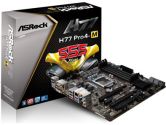
 VPN: H77 Pro 4-M
ASRock H77 Pro 4-M mATX LGA1155 DDR3 CrossFireX 3PCI-E16 1PCI-E1 SATA3 DVI USB3.0 Motherboard
|
0%
50%
50%
0%
0%
|
 Rating: Review Date: 10/08/12 |
ASRock H77 Pro 4-M mATX LGA1155 DDR3 CrossFireX 3PCI-E16 1PCI-E1 SATA3 DVI USB3.0 Motherboard
Cons:SATA 3 ports along edge angled up to be perpendicular to the board, HDA port sits under video card
Pros:Cheap, USB 3.0, small form factor |
|
Rating: Review Date: 10/06/12 |
ASRock H77 Pro 4-M mATX LGA1155 DDR3 CrossFireX 3PCI-E16 1PCI-E1 SATA3 DVI USB3.0 Motherboard
Cons:If your case has a front audio header and you're planning on using a discrete video card with this board then READ the full summary.
Pros:Cheap, USB 3.0 ports and support for USB 3.0 headers, came with 2 SATA3 cables. I used this for my first build and I found it fairly easy to use. The manual shows where and what all the parts are very clearly. Comment:
The HDA pin is close to the PCI-E 16x slot to the left side so depending on your video card you might either need to put the HDA connector to the pin first before putting on your video card or you might not even be able to put it in at all. I realized this after I had already placed the card and screwed it to the case so I'm just using the audio that comes with the motherboard. |
Got it because I wanted an H77 board and this one got good reviews. Set up was mostly okay except for two things - the SATA ports are perpendicular to the MOBO and did not line up with the cable runners in the Bitfenix Raider case making it very difficult to plug them in, flat on the board connectors would've worked much, much better. Had to remove video card to get to the HD Audio connection since the video card sits over top of it once installed. No problems since then.